1
Import 3D Model
Upload your product model and start with the real geometry you already have.
NOVOGEX makes it easy to turn product data into a live 3D configurator. Build product families, define materials and buyer options, add rules, preview every selection, and publish a polished quote-ready experience.
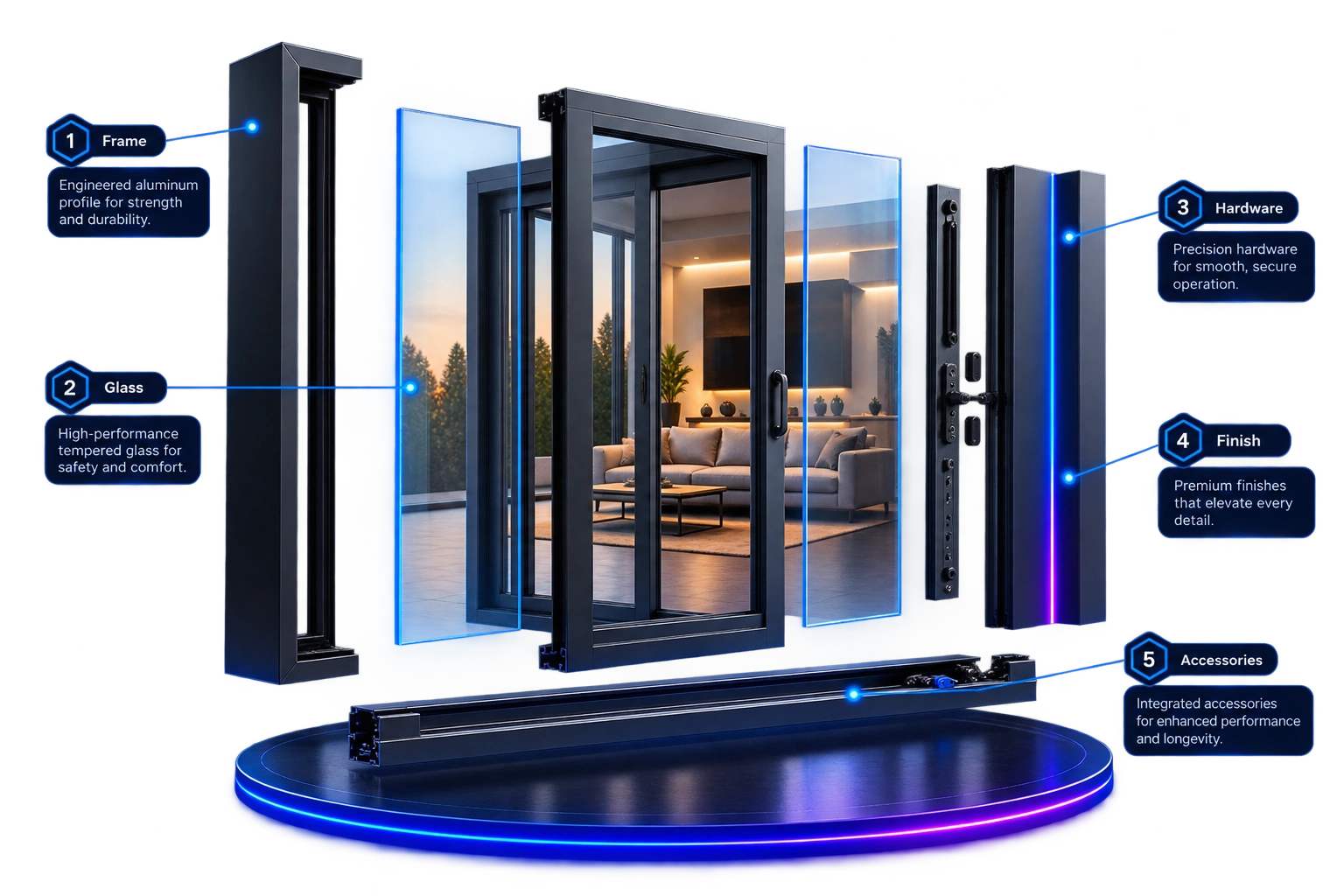
Upload your product model and start with the real geometry you already have.
Review model structure and detected parts before configuration setup.
Organize frames, glass, hardware and other parts into configuration groups.
Create materials, finishes, dimensions and other buyer choices.
Protect valid combinations with readable rules and dependencies.
Preview the final 3D experience, review it and publish the configurator.
NOVOGEX turns complex product data into a live 3D configurable experience.
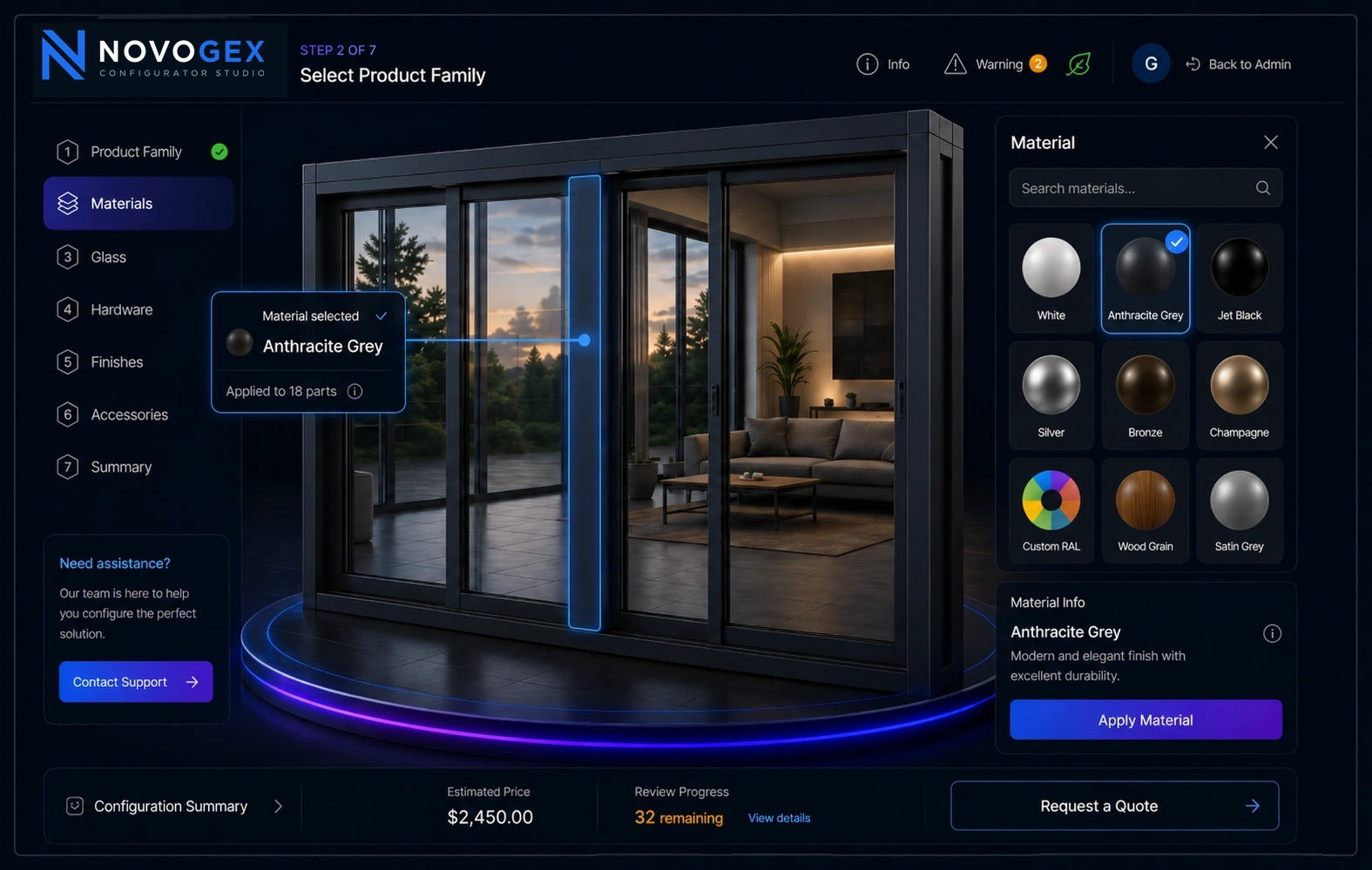
Publishing a product does not lock you into one front end. NOVOGEX can deliver the complete buyer experience or work as the configuration engine behind your own UI.
Use the NOVOGEX buyer interface with published 3D, options, rules, pricing and quote workflows already connected.
Place the NOVOGEX experience inside your existing website while keeping the surrounding navigation, content and customer journey yours.
Build a completely custom UI while NOVOGEX supplies published product data, 3D assets, options, rules, validation and server-side pricing.
Launch configurators faster with a repeatable product workflow.
Rules and validation reduce invalid combinations and rework.
Interactive 3D shows how supported choices affect the product preview.
Publish, share and collect quote requests when the product is ready.
Use option adjustments, combination pricing and quantity discounts when NOVOGEX should calculate the price.
Connect supported product, configuration and quote workflows to external systems using the available API and integration options.
Keep pricing in your existing system through API, or hide prices completely and collect a full configuration for quotation.
Published releases keep immutable snapshots so teams can restore a known-good Live version or recover it into the working configuration.
Create a Free Studio account and start configuring your first product. Or explore the published examples first.